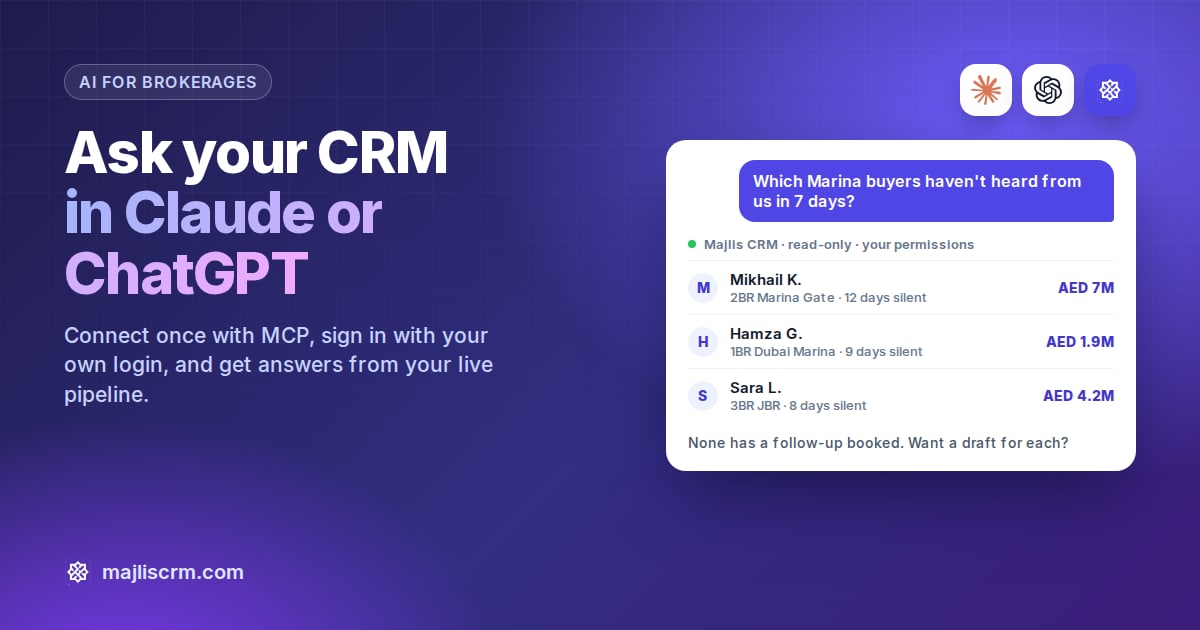
Quick answer: To connect your CRM to ChatGPT or Claude, add your CRM's MCP connector URL as a custom connector, then sign in with your own CRM login. In Claude that's Customize, Connectors, Add custom connector. In ChatGPT you switch on developer mode and create an app. Start read-only, and connect each person with their own login.
Key takeaways
MCP (Model Context Protocol) is the open standard that lets Claude and ChatGPT look things up in tools like your CRM.
Claude allows custom connectors on its Free (one connector), Pro, Max, Team and Enterprise plans.
ChatGPT adds custom MCP apps through developer mode, on the web only.
Each agent should connect with their own CRM login, so the AI sees only what that agent could see anyway.
Client names and numbers are personal data under the UAE PDPL, so treat the AI tool as part of your data flow.
If you want to connect your CRM to ChatGPT or Claude, you don't need a developer. Both assistants accept "custom connectors" built on an open standard called MCP. Once connected, you can ask "which Dubai Marina buyers haven't heard from us in a week?" and get an answer from your live pipeline instead of a guess.
What is MCP, in plain English?
The Model Context Protocol is an open-source standard for connecting AI applications to other systems. Anthropic released it in November 2024, and Claude, ChatGPT and many other tools now support it. There are two sides:
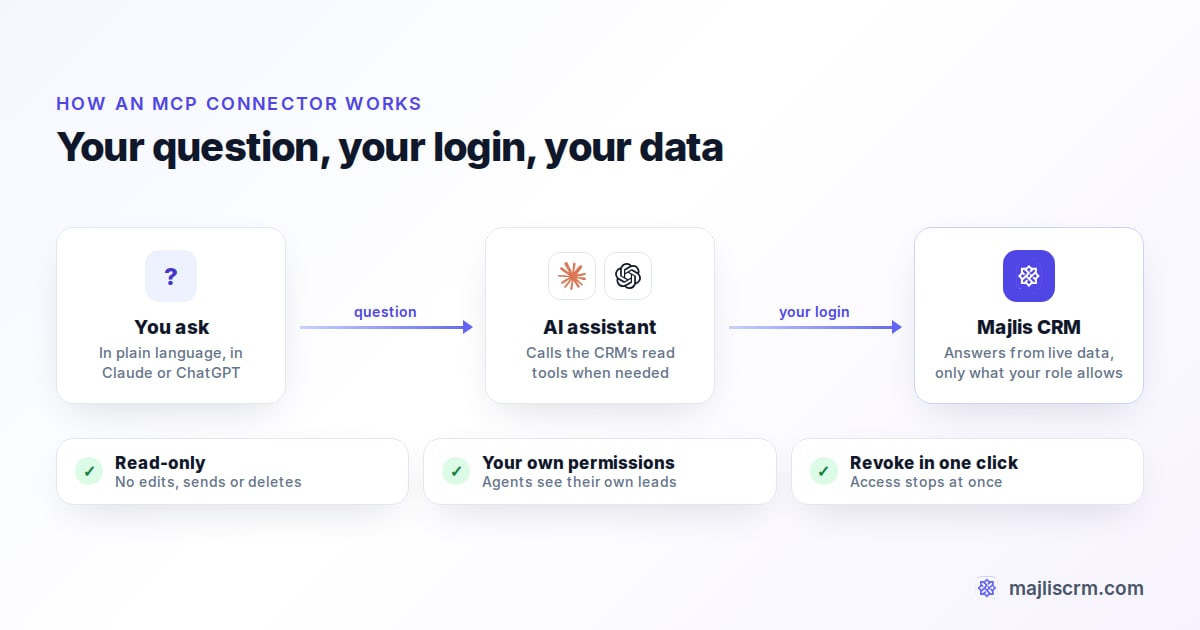
The MCP server sits with your CRM. It offers "tools" such as find leads or list upcoming meetings.
The MCP client is the AI assistant. You paste the server's URL into it, sign in, and the assistant calls those tools when your question needs them.
Vendors use different words for the same thing: Claude says "connector", ChatGPT says "app", and your CRM may say "MCP server". They all mean the URL you paste in.
What can an AI assistant do with your CRM data?
That depends on the tools your CRM offers. Read tools let the assistant look things up: leads, deals, meetings, invoices and agent activity. Write tools let it change things, such as moving a lead or sending a message. Read access covers most daily questions, and it is the safe place to start, because a wrong write can overwrite a client record.
How do I connect my CRM to Claude?
Anthropic says custom connectors using remote MCP work on the Free, Pro, Max, Team and Enterprise plans, with Free users limited to one custom connector.
Copy the connector URL from your CRM's settings.
In Claude on the web or desktop, open the connectors settings and choose Add custom connector.
Paste the URL, click Add, then Connect, and sign in with your own CRM login.
In a chat, switch the connector on from the tools menu and ask your question.
On Team and Enterprise plans, an Owner adds the connector for the organisation first, and each member then connects with their own login.
How do I connect my CRM to ChatGPT?
In ChatGPT, custom MCP connections run through developer mode, on the web only. OpenAI lists it for Plus, Pro, Business, Enterprise and Edu accounts.
In ChatGPT's settings on the web, switch on Developer mode.
Create a new app with your CRM's MCP URL and sign in with your CRM login.
In a chat, choose developer mode from the tools menu and select your CRM app.
On ChatGPT Business, only admins and owners can create and publish the app for the workspace; members then connect with their own login. OpenAI labels developer mode "elevated risk", so only add a URL that came from your CRM itself. Menu names in both assistants change often, so check their help pages if a label has moved.
Claude vs ChatGPT at a glance
| Claude | ChatGPT | |
|---|---|---|
| Plans with custom MCP | Free (1 connector), Pro, Max, Team, Enterprise | Plus, Pro, Business, Enterprise, Edu via developer mode |
| Where to add it | Connectors settings, Add custom connector | Developer mode, then create an app |
| Team plans | An Owner adds it, members connect | An admin or owner publishes it, members connect |
| Mobile | Use it on mobile once connected on web or desktop | Web only for MCP apps |
Is it safe to connect client data to AI?
It can be, if you set it up with care. The UAE's Personal Data Protection Law (Federal Decree-Law No. 45 of 2021) requires you to keep client data secure, and a question you ask the AI sends the matching CRM data to it. Before anyone connects, check these:
The connector URL came from your CRM vendor, not a forum or a forwarded message.
Every person connects with their own login. Never share one admin login.
Agents can only see their own clients in the CRM, so the AI can't see more.
Write tools are off, or set to ask before every action.
You use a business plan for client data. Anthropic says it doesn't train on Team and Enterprise data by default, and OpenAI says the same for Business, Enterprise and Edu.
Agents don't ask for Emirates IDs, passports or bank details in a chat.
When someone leaves, their CRM access and AI connection end the same day.
How Majlis CRM connects to Claude and ChatGPT
Majlis CRM includes an MCP connector built around the checklist above, so the safe setup is the default one.
Read-only by design. The assistant can look up leads, contacts, deals, meetings, invoices and agent performance, but it can't edit a lead, send a message or delete a record through the connector.
Each person's own login. Everyone signs in with their own Majlis email and password, and sees only what their role allows. An agent's assistant sees that agent's leads; a founder's sees the whole brokerage.
Revoke in one click. A founder copies the connector URL from Settings, Connected apps, and sees every connection there, with when it was last used. Revoke one and access stops at once. When an agent is removed from Majlis, their connection stops working too.
Works with both assistants. Set it up once and use it from Claude or ChatGPT.
12 prompts to try once you're connected
These work with any CRM whose connector can read leads, deals and meetings. Name the connector in the prompt if the assistant doesn't use it on its own.
Pipeline and follow-ups
List my open leads by stage, with the count and total budget in AED for each stage.
Show leads from Property Finder, Bayut and Dubizzle created in the last 7 days that nobody has contacted yet.
Which of my leads with a budget over AED 5M have gone quiet for more than 10 days?
Which meetings are booked for tomorrow, and what does each client want?
For team leads and owners
Summarise this week's new leads by source and by agent.
Which agent has the most leads with no activity in 14 days?
Compare each agent's win rate and missed leads this month.
Why were leads marked lost this month? Group the reasons.
Deals and money
Summarise this month's deals by agent: count and total value in AED.
Which invoices are still unpaid, and for how long?
Which leads need attention today, and why?
Draft a short Sunday team update from this week's numbers. Don't send anything.
Good prompts give a time window, a clear format and a limit, such as "top 10 as a table". If an answer looks wrong, ask which records it used and check a couple in the CRM.
Setup steps last verified: 29 September 2026, against Anthropic's and OpenAI's help centres.
Frequently asked questions
Can I connect my CRM to ChatGPT on the free plan?
Not with a custom MCP app, based on OpenAI's current documentation. Developer mode, which is how you add one, is listed for Plus, Pro, Business, Enterprise and Edu accounts on the web.
Can I connect my CRM to Claude on the free plan?
Yes, with a limit. Anthropic says custom connectors work on Free, Pro, Max, Team and Enterprise plans, but Free users can add only one custom connector. For client data, a Team or Enterprise plan is the safer choice.
Is it safe to give ChatGPT or Claude access to my client data?
It can be if you set it up carefully: use a business plan, connect each person with their own CRM login, start with read-only tools and only add a connector URL that comes from your CRM vendor. The Majlis CRM connector is read-only and uses each person's own permissions.
Can the AI change deals or send WhatsApp messages?
Only if your CRM's connector offers write tools and you allow them. A read-only connector, like Majlis CRM's, can look things up and draft text for you, but can't change records or send messages.
Who in a brokerage should set it up?
The owner or a named admin should add the connector for the team, then each agent connects with their own CRM login so they see only their own clients. On Claude Team and ChatGPT Business, only owners or admins can add it for the workspace.
Ask your CRM anything
Majlis CRM's read-only connector lets every agent ask Claude or ChatGPT about their own live leads, deals and meetings, with each person's own permissions. Start a 14-day trial, no card required, or book a demo.